 Tiny Tally
Same little one.
Same page.
Share your baby’s care history with your partner or another caregiver. Feeds, sleep and diaper changes stay together, with a name beside the moments they logged.
Get Tiny TallyOne invited caregiver per baby. Both caregivers need to sign in.

A little less
“did you already…?”
Invite your person
Open your baby’s caregiver settings and share an invitation. They sign in and accept before seeing the care history.
Keep one shared record
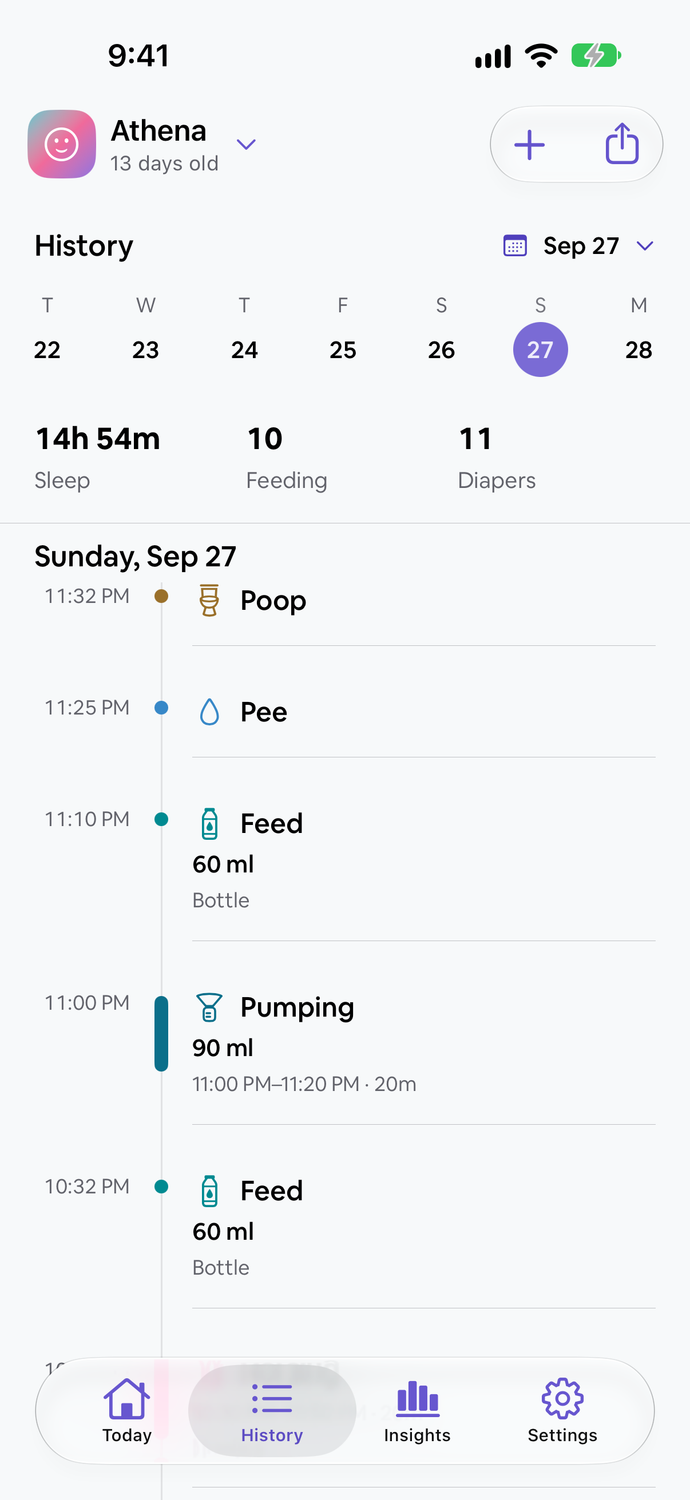
Both of you can log care for the same baby. Synced entries appear together, so you can check the last feed, nap or change. Pumping sessions and milk stash changes are shared for the same baby, too.
See who logged what
Caregiver names sit beside their entries. A feed from your partner belongs in the day’s history, right alongside yours.
Your little team.
In one place.
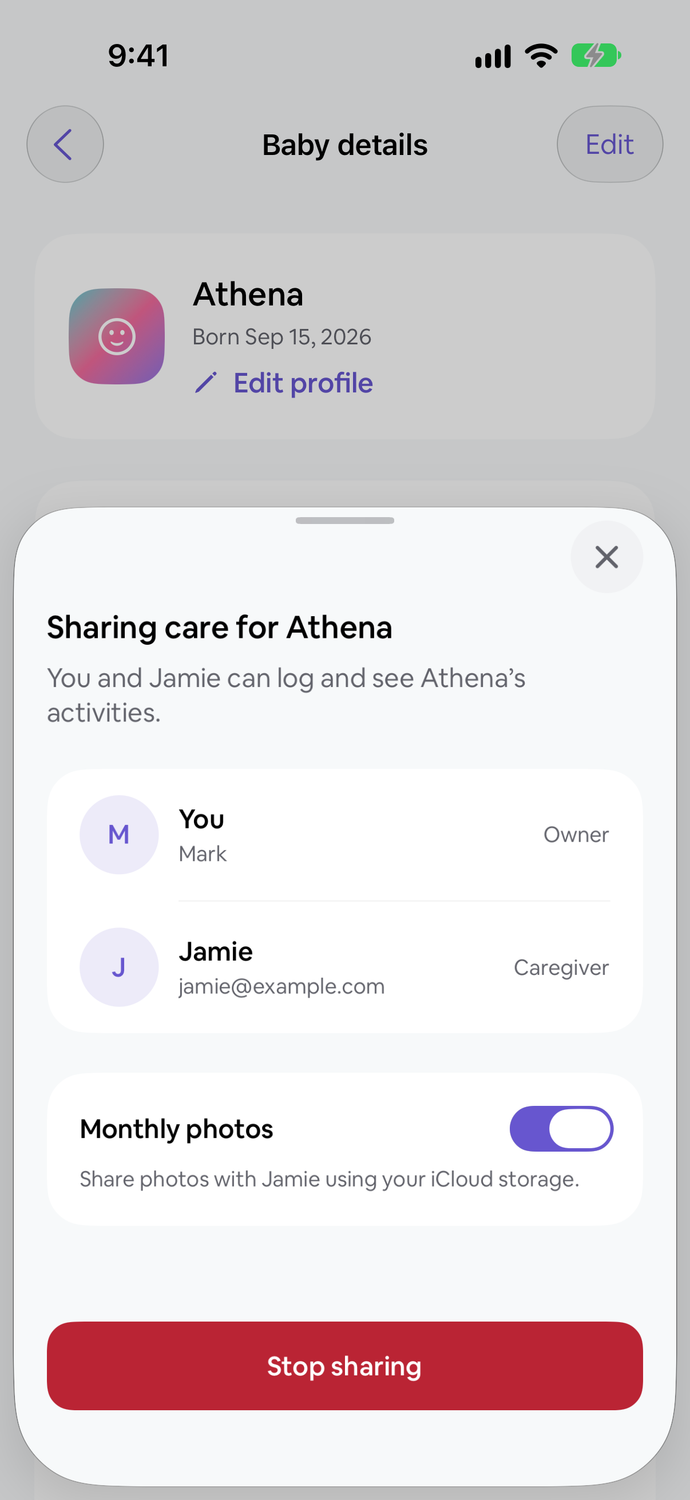
Your baby’s profile shows who you’re sharing with and the latest sync status. Keep separate profiles and care histories for each baby.
Before a handoff, check that recent care has synced. A quick note can cover anything that hasn’t been logged.
A simple handoff checklistTheir little moments.
Shared through iCloud.
Turn on month-photo sharing in your baby’s caregiver settings. Your invited caregiver can accept the photo invitation and view the monthly albums in Grow.
You manage the photos
The baby’s owner adds photos, chooses covers and writes notes. The invited caregiver can view the shared photos.
Connect through iCloud
Both caregivers need to be signed in to iCloud. Photo sharing is separate from the care records you share through your Tiny Tally account.
Choose what stays shared
Turn photo sharing off while keeping shared care. Revoking access to previously shared photos may wait until Tiny Tally reconnects to the iCloud account that shared them.
Care is a team effort.
Try Tiny Tally for 7 days. No automatic charge.
Get Tiny TallySee how it works, step by step.
Follow Athena and Jamie’s demo care record from sharing to a stored-milk feed.
Read the shared-care and stored-milk guide